Introducing Nonprofits to Generative AI


As a product designer at Resilia, I was tasked alongside our PM and engineering lead with bringing generative AI to our nonprofit platform for the first time.
I created a color palette specifically for AI features
In prior discovery, we had repeatedly heard from our users — grassroots nonprofits — that they struggled to write donation appeals. The reality was that at small nonprofits, staff lacked the time and training to write copy that converted, which meant less money reaching the communities they serve.
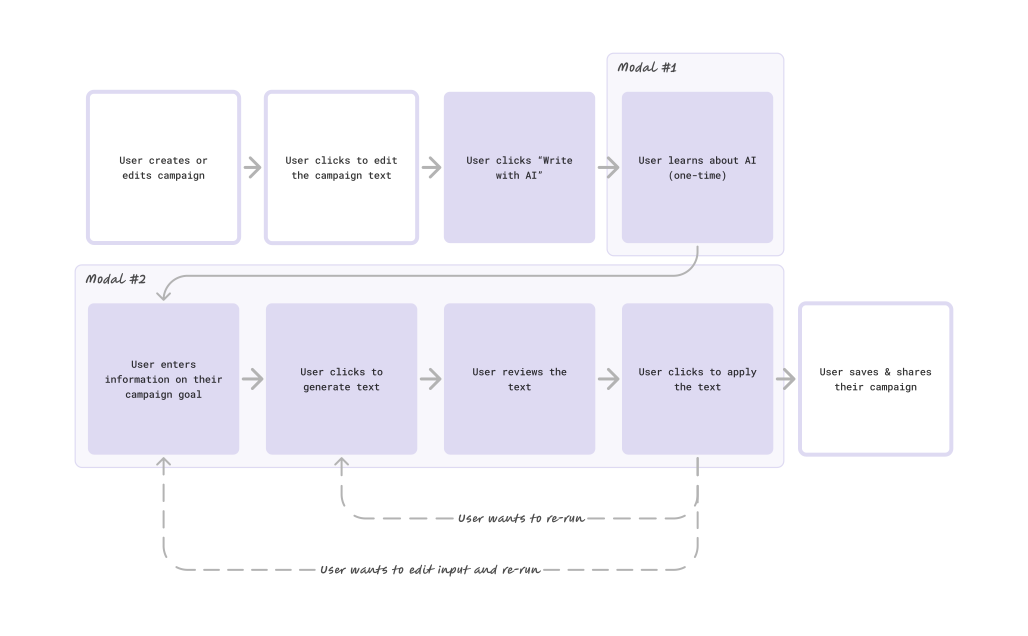
I created a user flow to outline the high-level UX
These users were also new to AI. Almost none had used an LLM, so we saw two risks: that users wouldn’t know the limitations of AI, and that the AI itself would generate generic, non-mission aligned content.

Example donation page
“Write with AI,” our first feature, was designed to address these risks. I put it inside the rich text editor, where fundraisers were already writing, and added a short first-run explainer so trying it required no prior knowledge.
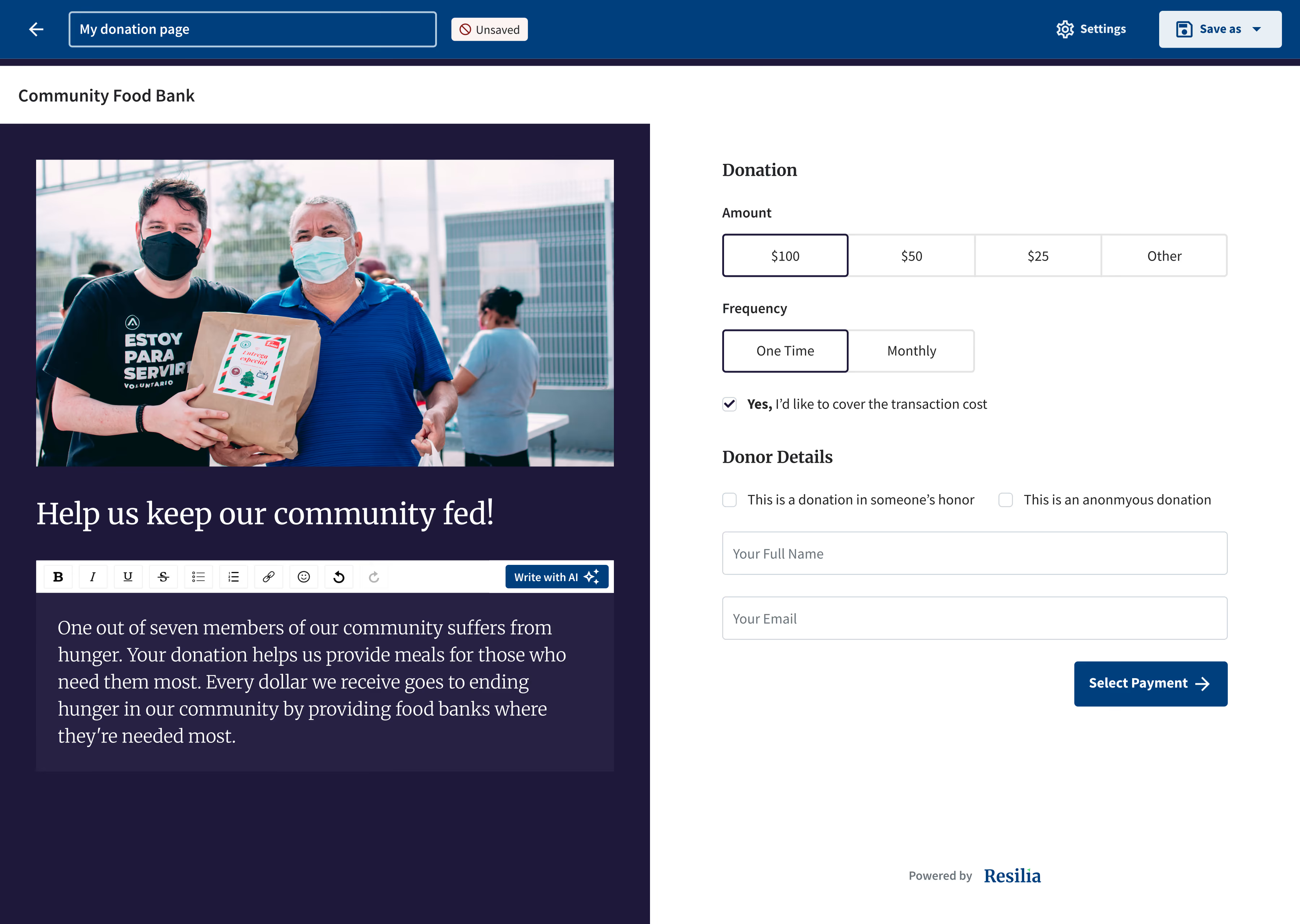

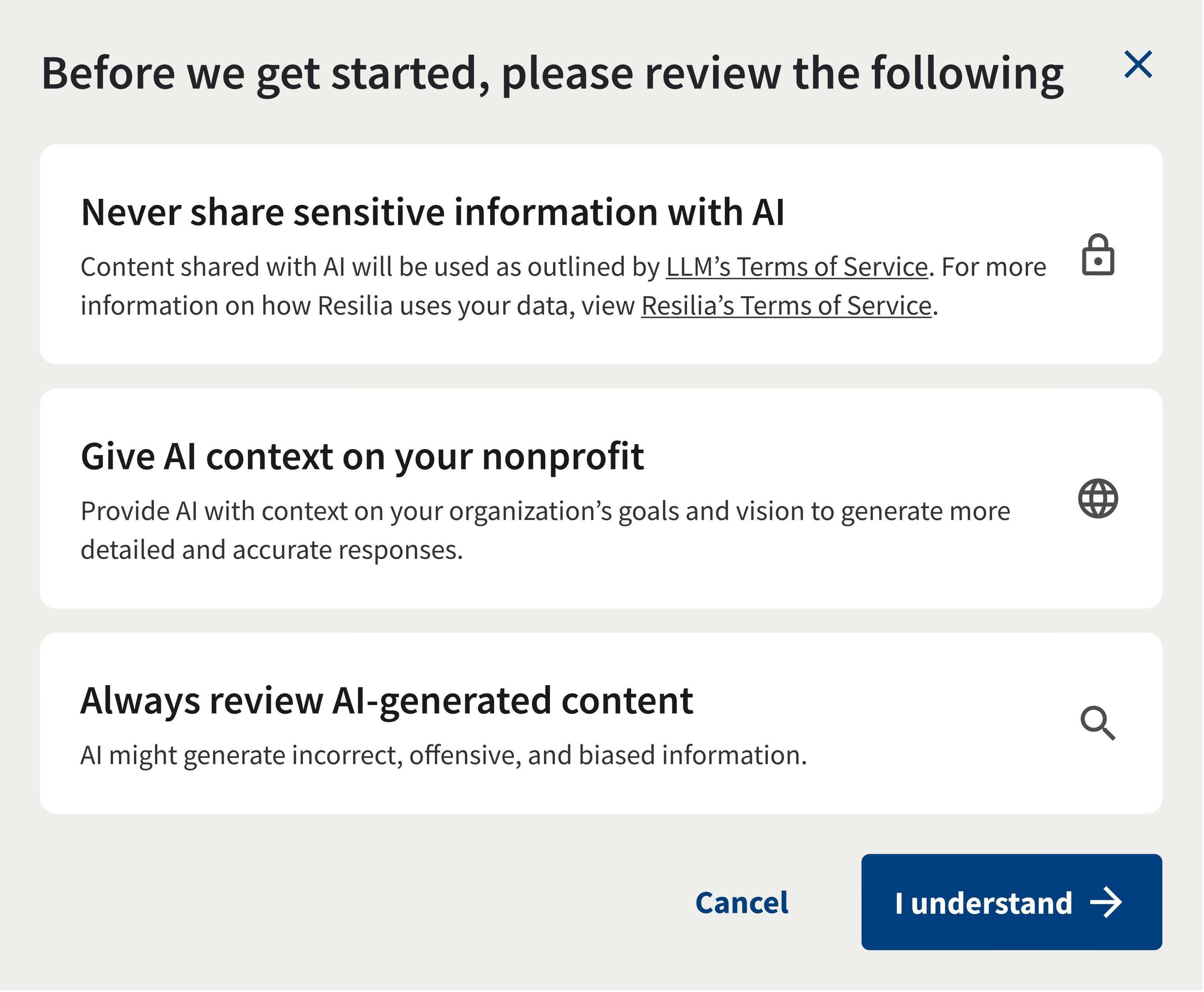
“Write with AI” when launched for the first time
To keep output specific, every request combined the campaign’s own copy (autofilled, so no retyping), the nonprofit’s mission statement, and fundraising best practices from Resilia’s experts. Generated text stayed in its own dialog until a user chose to apply it.
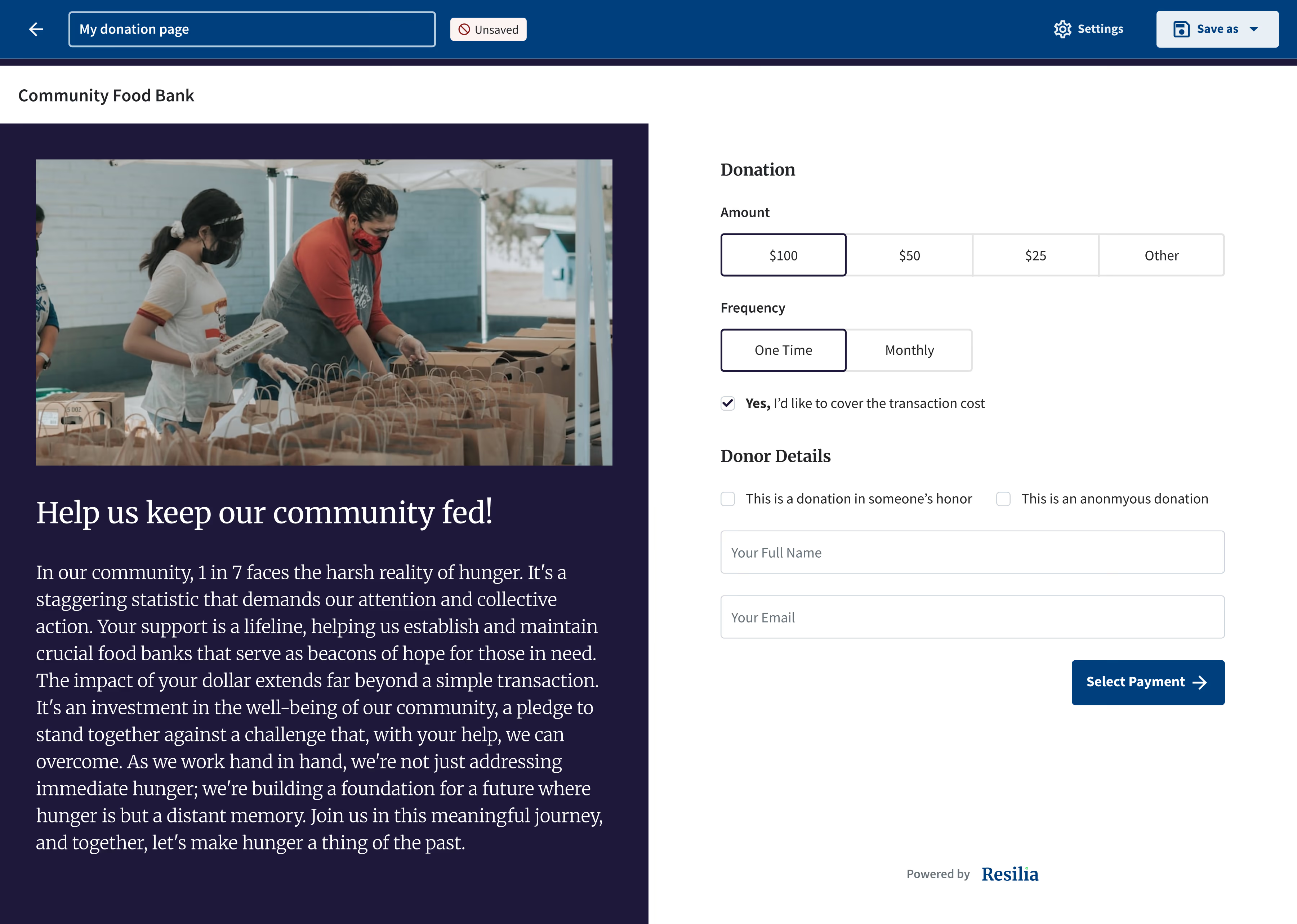

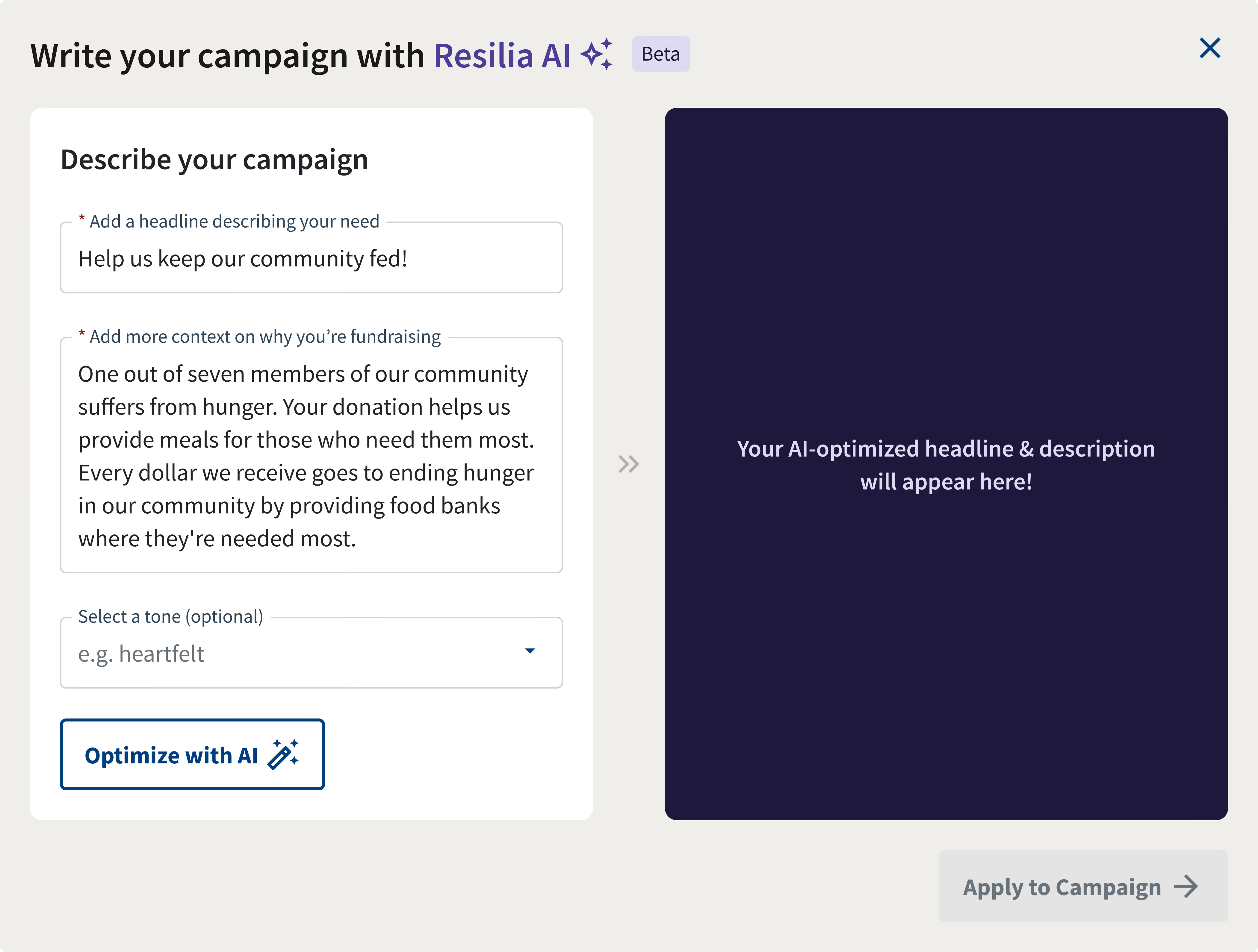
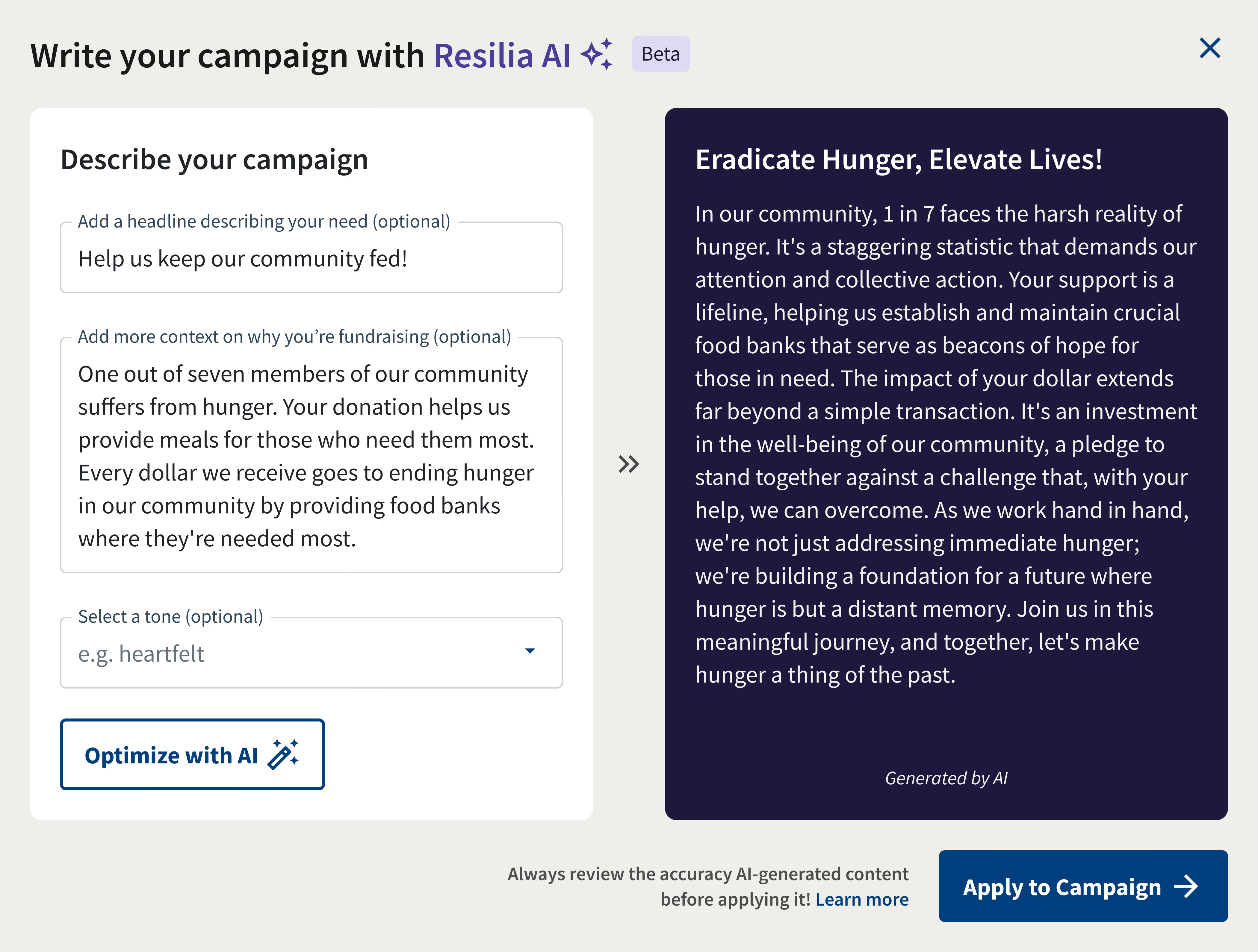


AI text being generated
In testing, 4 of 5 fundraisers rated it “very easy” to use and rated the output as “very good.” One user told us she’d been hesitant to use AI at all but would feel comfortable using this.
…As a fundraiser, I’ve been very hesitant to use AI and have not used it yet… but I think for something like this I would feel comfortable using it.
Quote sourced from one of our early users
With that foundation, we took on a harder problem: improving Resilia Stories — our impact reporting tool for nonprofits. Nonprofits that don’t report regularly leave boards, donors, and funders in the dark. Nonprofits wanted to be better at reporting, but the blank first draft was where they got stuck the most.
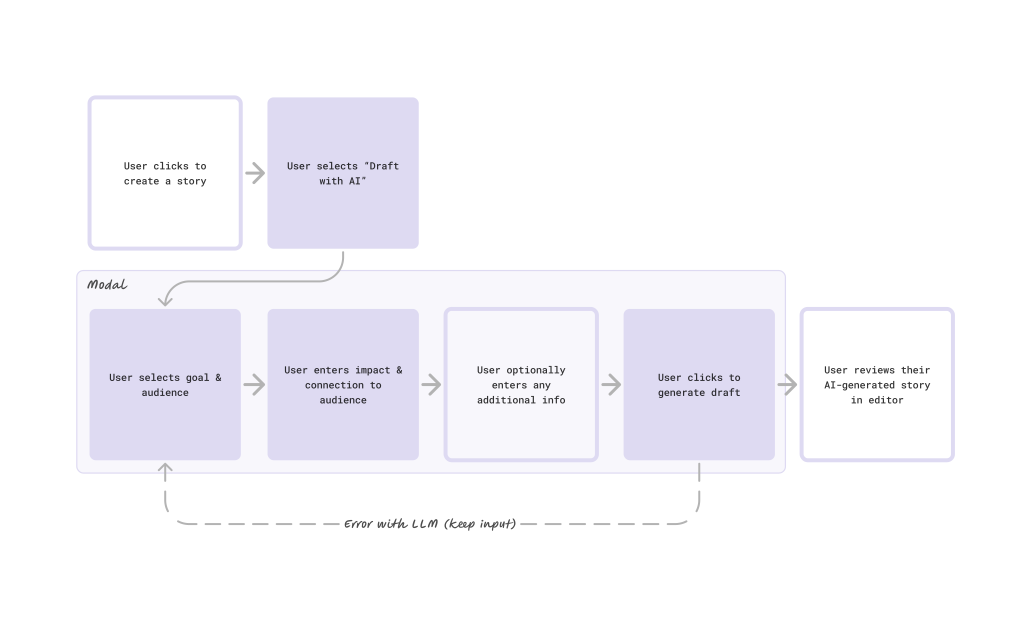
User flow for AI in Resilia Stories
So instead of a rewrite button, we brought AI in at template selection phase, where it could draft an entire story from scratch.


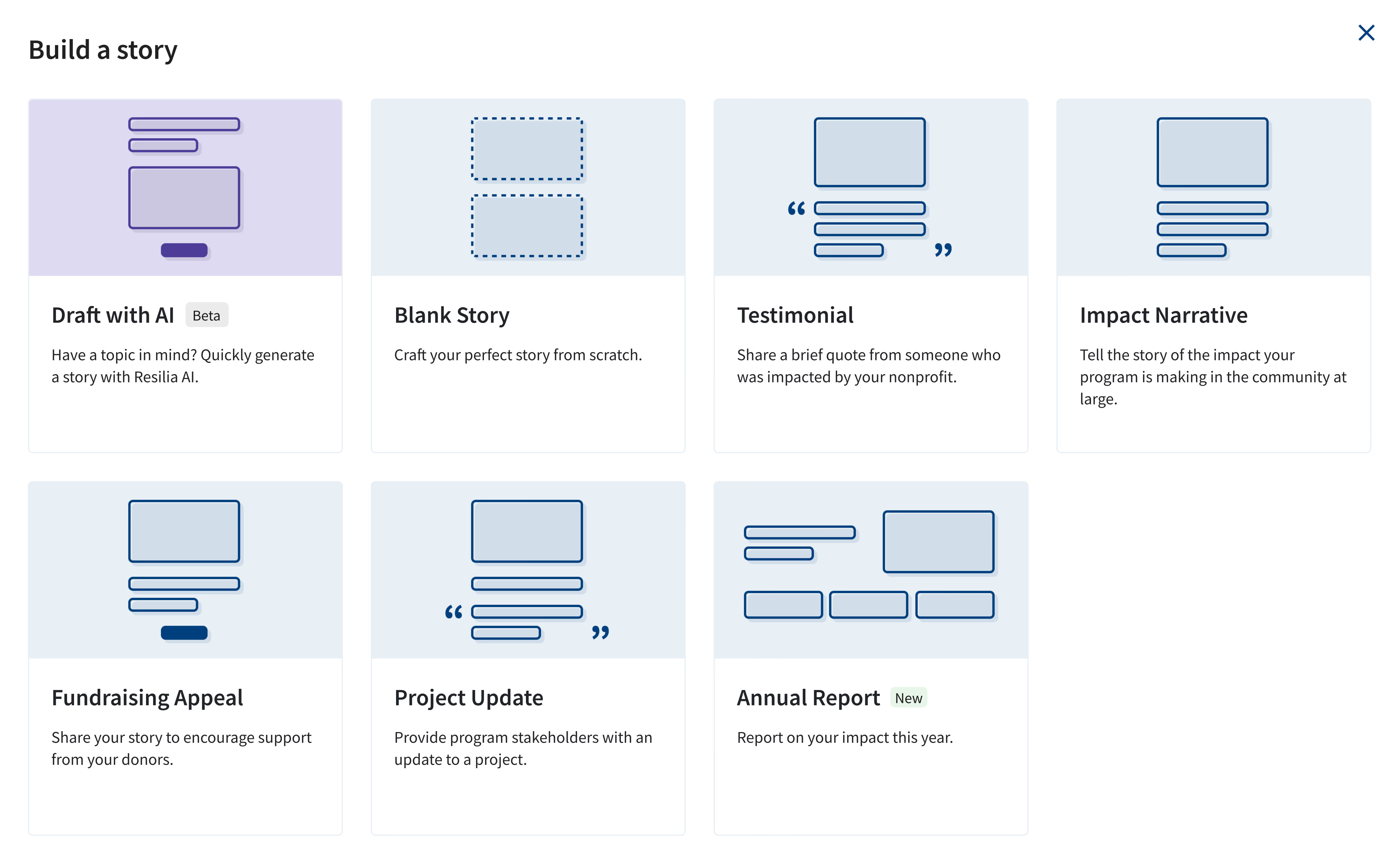
At the template selection in Resilia Stories
Relevant drafts depend on specific inputs. Alongside the nonprofit’s name and mission, I narrowed the form to four required fields, with goal and audience as select menus refined with subject matter experts, plus optional tone and length.
Diagram breaking down what nonprofits might want to write about
Our first usability test showed users wrote too little about their impact for the AI to work with. Adding examples to those fields greatly improved input in the second round of testing.
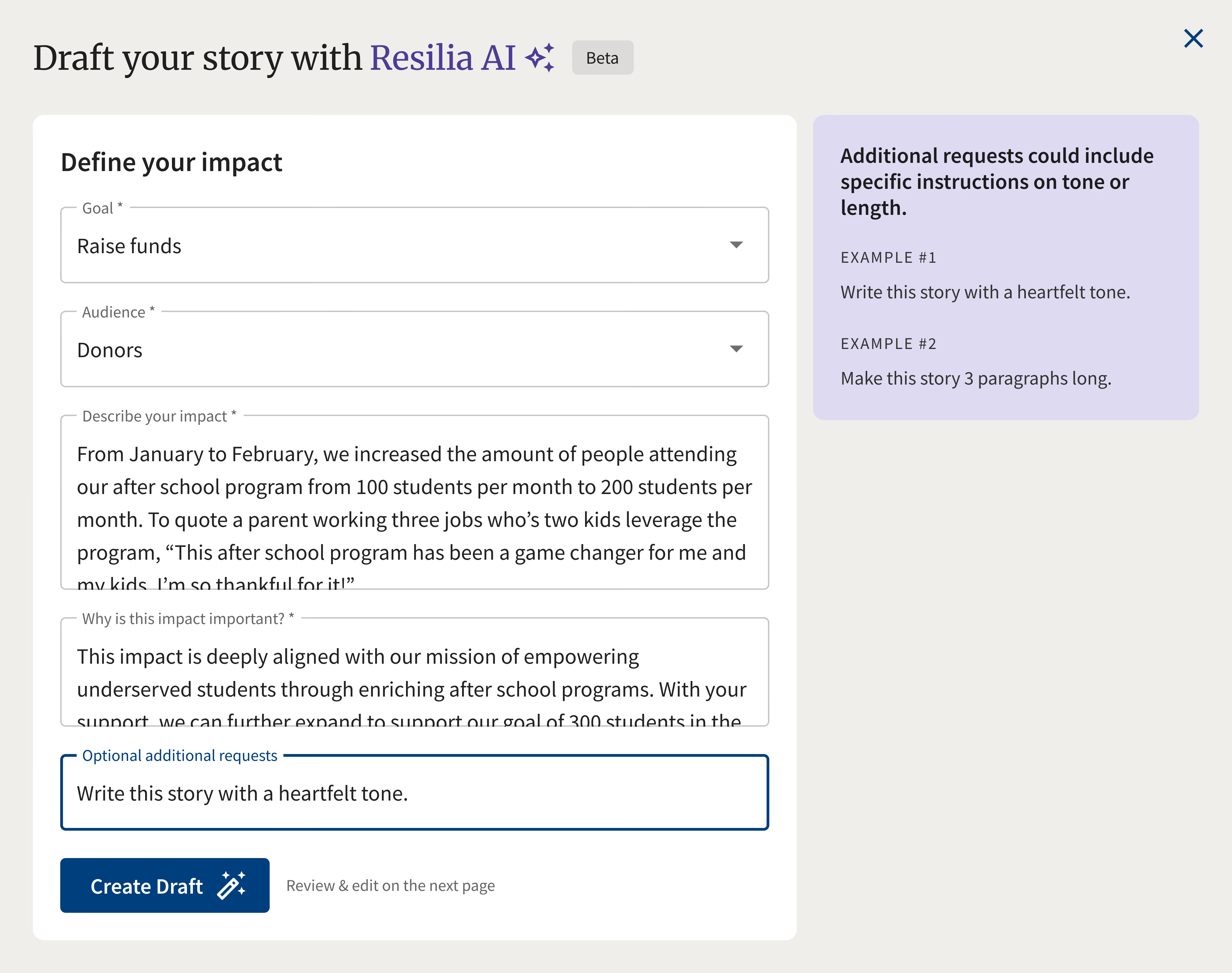
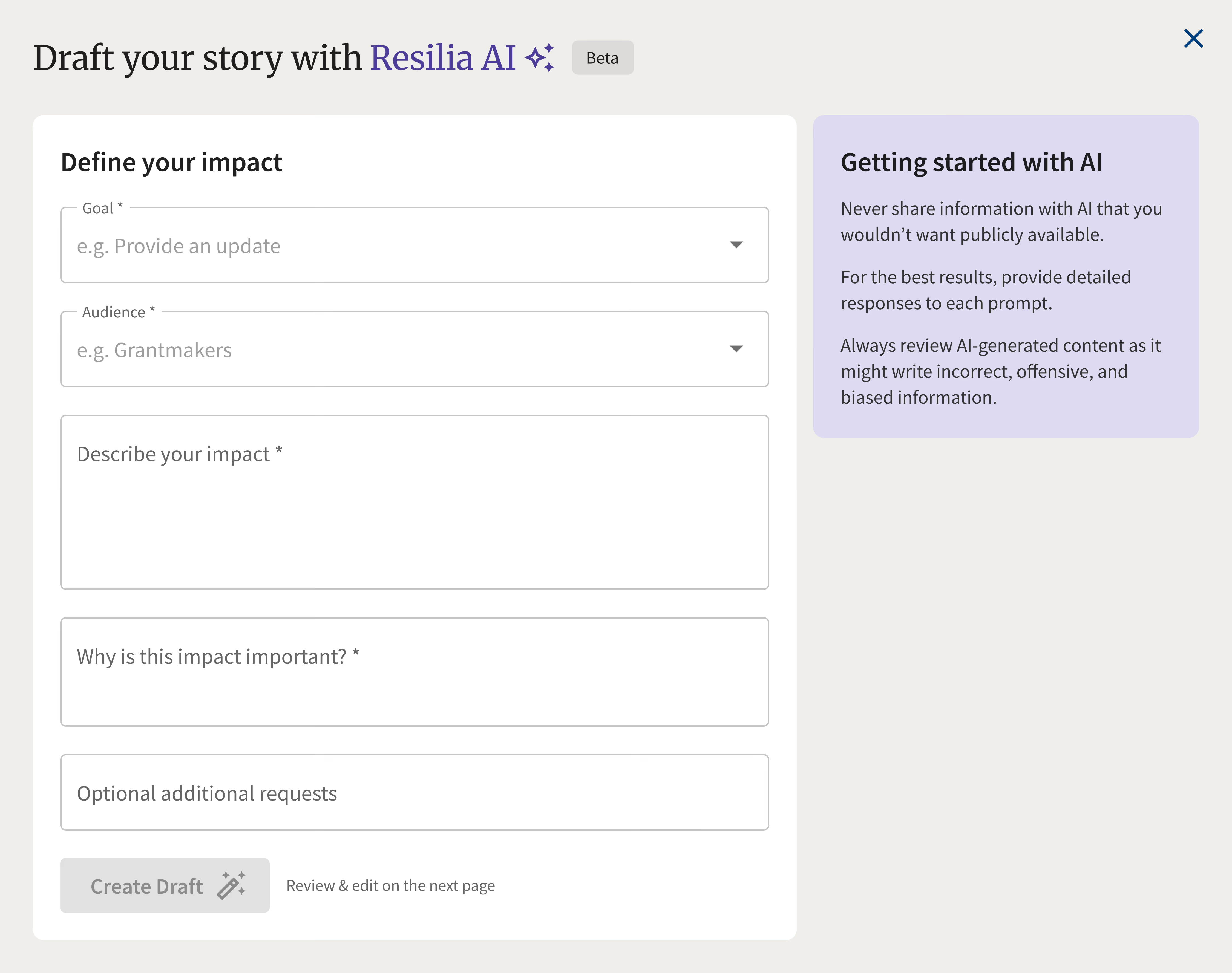
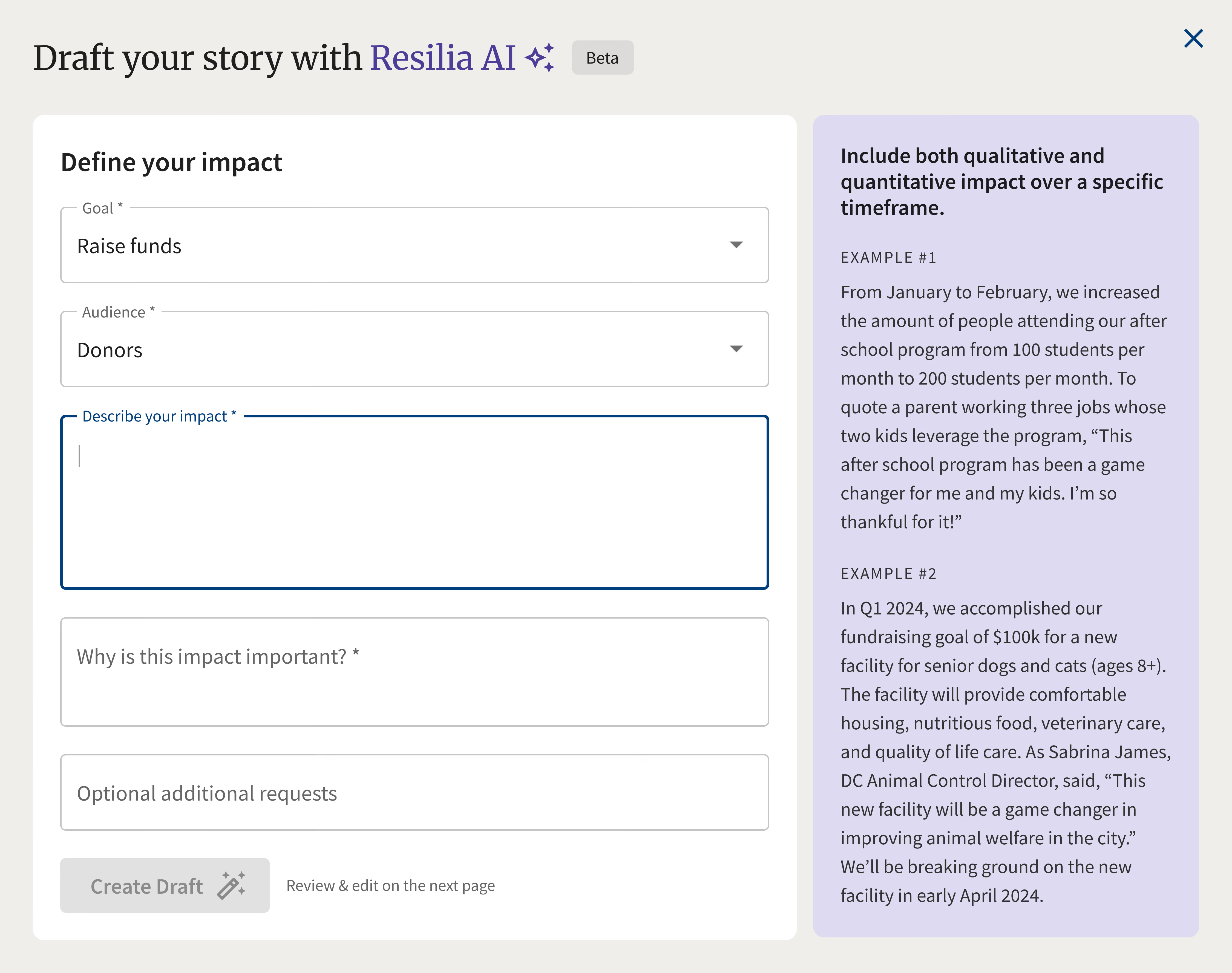

Dialog for creating a story with AI
Generation could take 10+ seconds, so I designed a loading state that walked users through each step the AI was taking.
Loading screen explaining the process
Rather than return plain text, the AI assembled the draft from Stories’ own text, image, and call-to-action blocks, producing a story users could edit like any other.
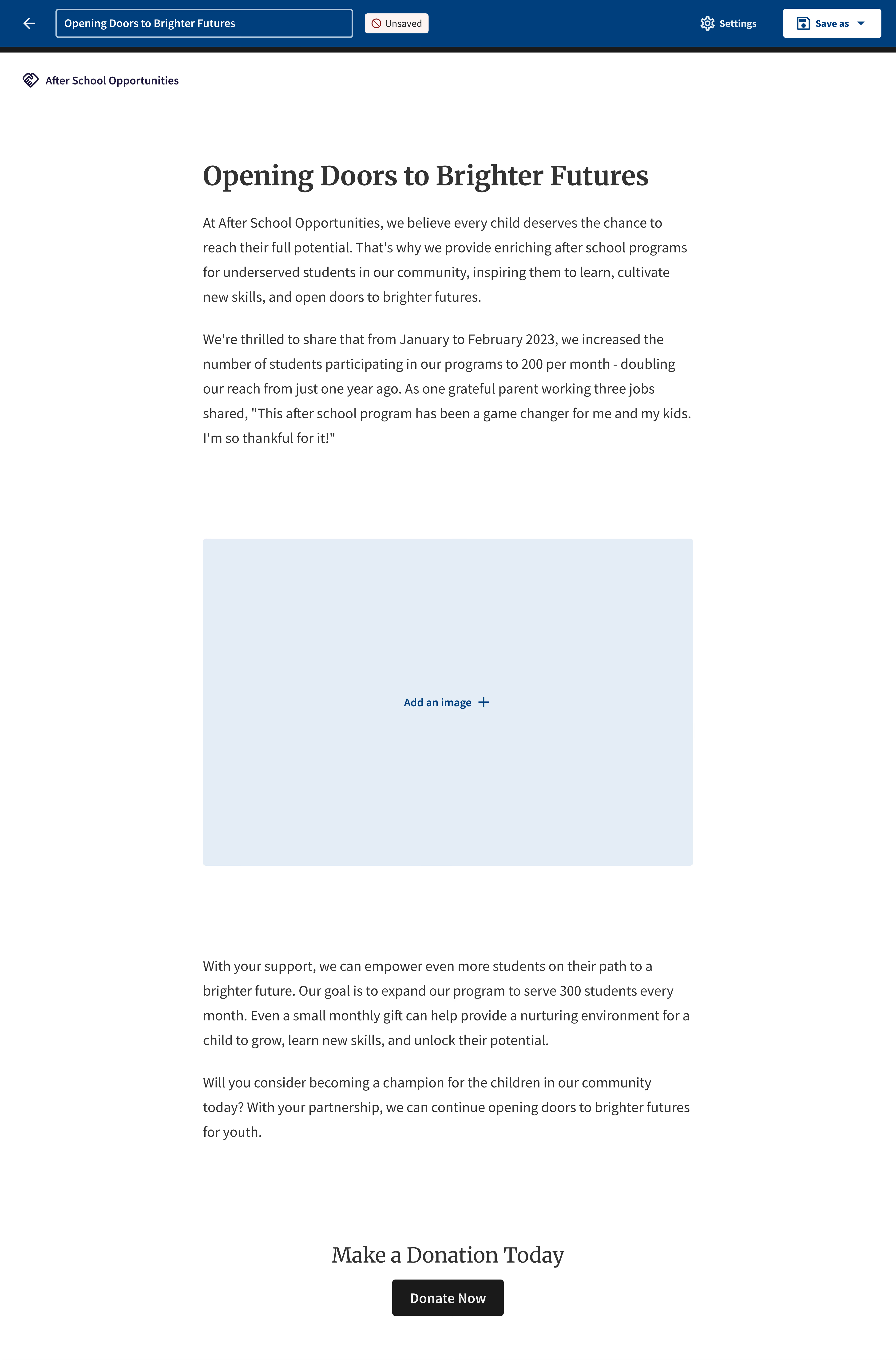
AI-generated story rendered in the platform